

Search harbours and sailing areas directly in the map
HarbourMaps now lets you search for harbours and maritime areas directly in the map. This makes it much faster to plan a route, explore a coastline, or jump straight to a harbour you have heard about before leaving the dock.
The feature is especially useful when you are cruising in an area you do not know well. Instead of panning and zooming around the map, you can search for a harbour, bay, fjord, sound, archipelago, or other sailing area and go directly there.
How to search in the map
1. Click the magnifying glass in the top left corner of the map.
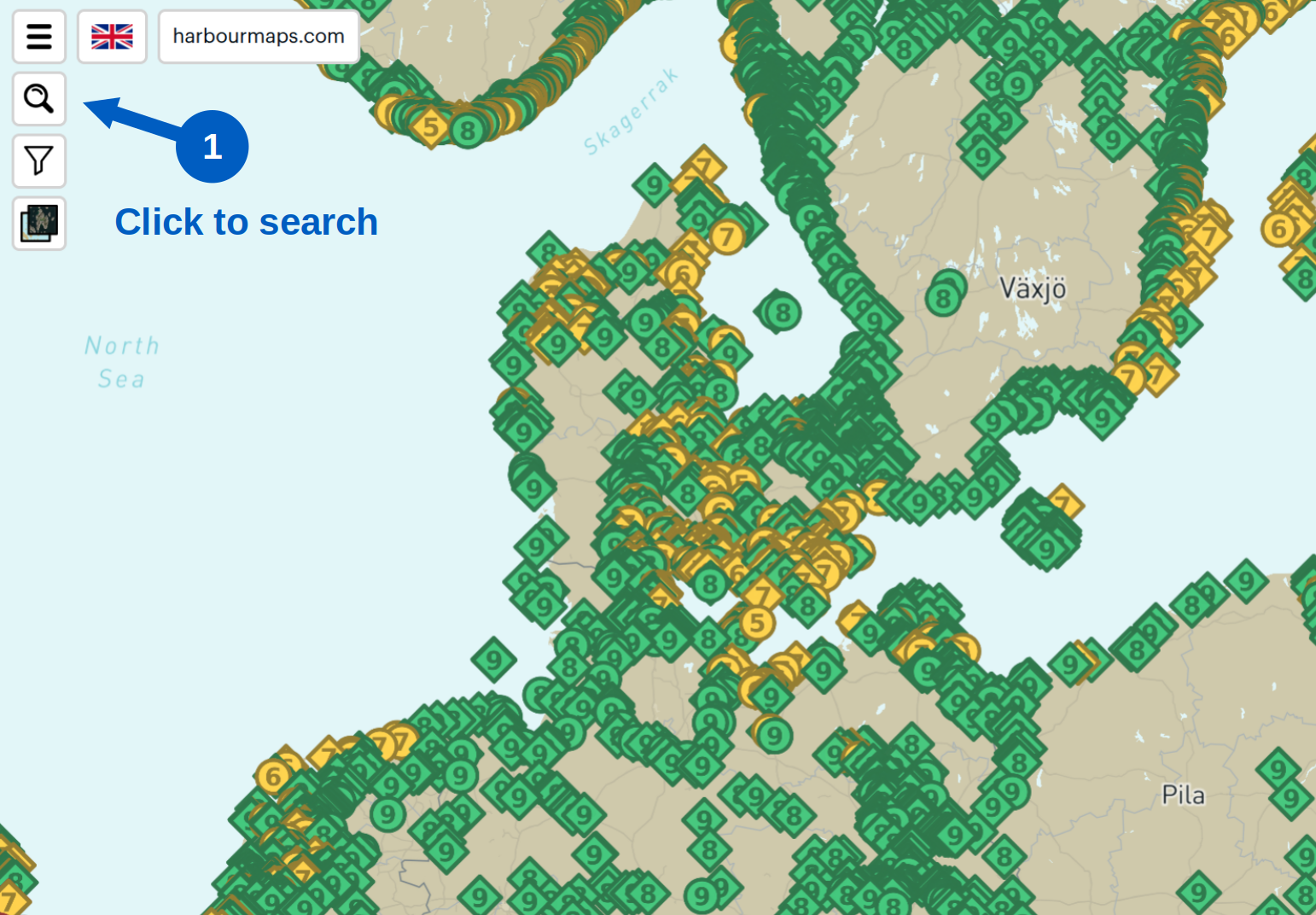
2. Start typing the name of a harbour or area in the search field. HarbourMaps will suggest matching harbours and regions as you type.
3. Click the result you want. The map will move and zoom to the correct area.
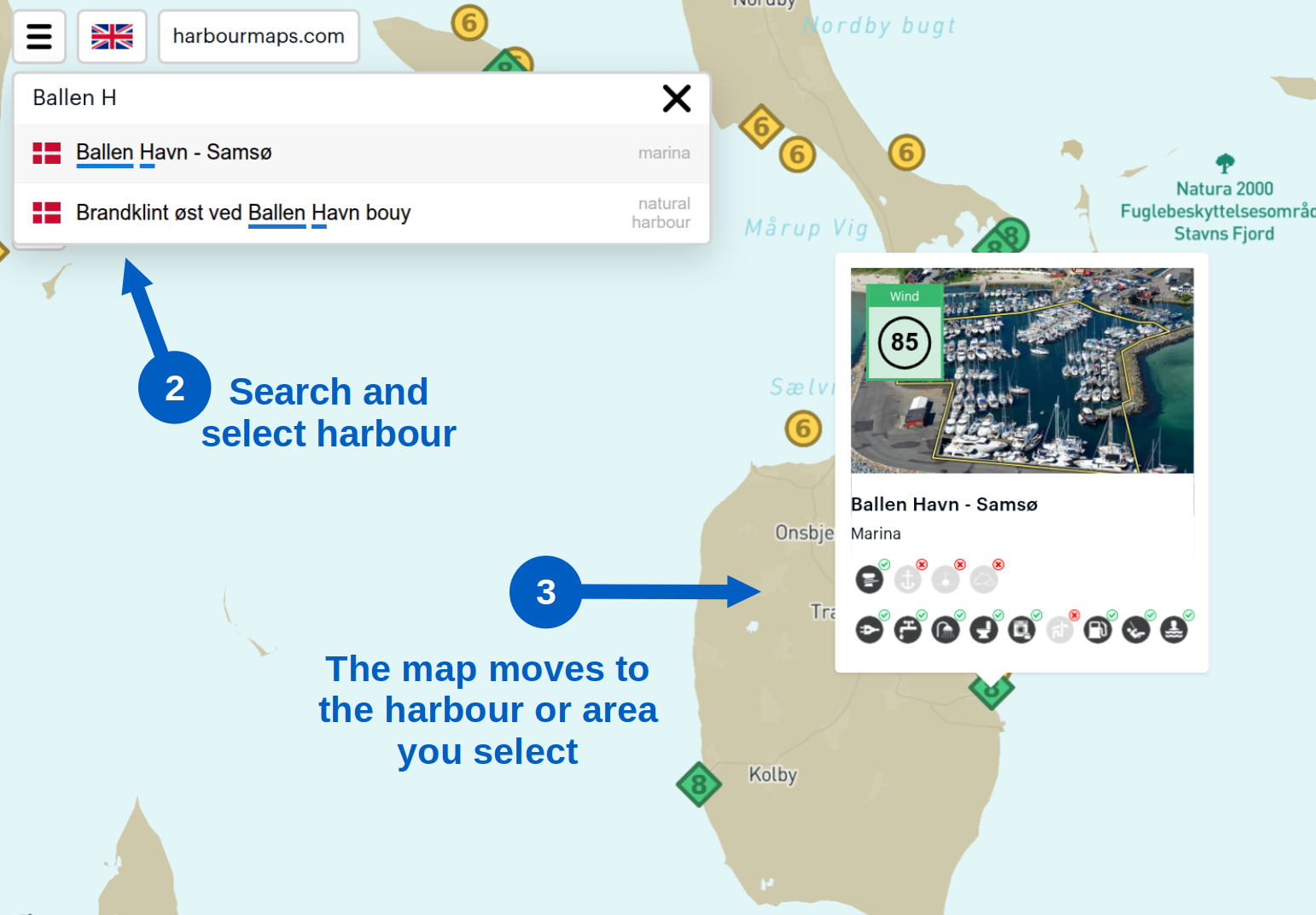
Try it here: open an example map view.
Search for maritime areas, not just towns
Many maps focus on cities and administrative place names. Sailors often think differently. We look for sailing areas, sounds, bays, fjords, coasts, and archipelagos. That is why HarbourMaps also includes many maritime area names in the search.
Examples you can try are: "Puget Sound", "Loch Linnhe", "IJsselmeer", "Väderöarna", "Limfjorden", "Aarhus Bugt", "Outer Oslofjord", and "Blindleia".
A better way to find anchorages and marinas
If you are looking for a protected anchorage, a guest harbour, or a new sailing area to explore, map search is one of the fastest ways to get there. It works well together with the wind protection scores and the harbour detail pages, so you can quickly move from a broad area to a specific harbour.
So far, maritime area search is strongest in Scandinavia and Northern Europe. If typical sailing areas are missing in your region, feel free to contact us and suggest additions.